To download the Lions Care app, you can follow these steps:
1. Open the Google Play Store app on your mobile device.
2. In the search bar, type Lions Care and press enter.
3. Select the Lions Care app from the search results.
4. Tap on the Install button to download and install the app.
If you have any issues downloading or installing the app, please refer to the app’s official website or
contact their support team for further assistance.
Certainly! If you need assistance creating an account for the Lions Care app, you can reach out to the app’s support team or Facilitators. They will be happy to help you create an account and provide a physical card.
Verifying your account with a valid ID and proof of address is an important step in ensuring a safe and trusted environment for all users of the Lions Care app. It also grants you access to some locked features, such as the ability to request badge, send points, request assistance, and Pay your bills using your points.
QRDP is an over-the-counter feature offers a convenient way for you to effortlessly accumulate points in your account. This can be achieved by either visiting a merchant or engaging with a teller who operates a ZIABOSS POS Terminal, thereby enabling you to seamlessly deposit points into your account.
QRPH is used for online transactions, where the Account Holder can transfer funds from their bank account to their Lions Care account using a QR code. The QR code is scanned using a mobile device, and then the funds are transferred instantly.
To send points to individuals or groups using the Lions Care app, you can follow these steps:
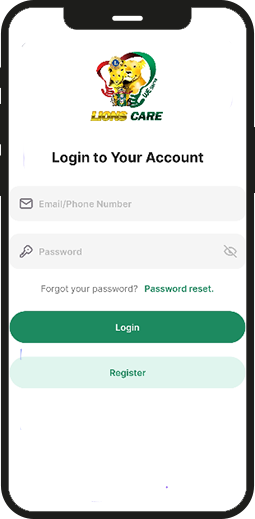
1. Log in to your account.
2. Tap on the Send Points button.
3. Search for the individual or group you want to send points to by name, QR Reference number or group.
4. Alternatively, you can scan their QR code to send points directly.
5. Enter the amount of points you want to send and tap on the Send button.
It’s that simple! You can now demonstrate your generosity by sending points to individuals or groups using the Lions Care app.
With the points you earn through the Lions Care app, you can use it by spending your points on a variety of services and goods from partnered merchants. This feature is designed to provide you with a convenient and hassle-free way to enjoy the benefits of being a Lions Care app user.
Certainly! The Lions Care app is designed to provide assistance to users in various areas, including but not limited to hospitalization, medical expenses, scholarships, and more. The app is versatile in its support and aims to provide a comprehensive solution for users in need.
To obtain a physical QR Code Card for the Lions Care app, you can reach out to the Super App Facilitator. They will assist you in acquiring the card and guide you on its usage. You can use the physical card for attendance for the event, track their arrival, receive points or donations, and use to post a billing statement to seek a donation.
Transactions within the app are processed securely through various payment methods, including Scan2pay, QRPH by InstaPay, and partner merchant transactions.
Scan2pay is a payment method that allows users to pay for their purchases by scanning a QR code using their mobile device’s camera.
QRPH by InstaPay is a person-to-merchant (P2M) payment method that enables merchants to accept e-payments by displaying a standard QR code for their customers to scan.
Partner merchant transactions, on the other hand, refer to transactions made with merchants who have partnered with the app.
The Lions Care Beneficiary app is designed to be inclusive and open to users from various backgrounds who needs financial aid. There are no specific eligibility criteria for using the app.
The Lions Care Beneficiary app prioritizes security and uses encryption to protect your personal information. All transactions are secured to ensure your safety.
Yes, you can use the Lions Care Beneficiary app to support both individuals and causes, making it a versatile platform for philanthropy such as disaster relief, youth programs, and vision care.
If you have any questions regarding a process or have experienced an issue with our service, you may contact our Customer Service and social media network:
Our Contact Information:
Email: support@lionscare.ph
FB Page: Lions Care
Instagram: @lions.care
Twitter: @lions_care
Let’s download free from apple and play store
Instant free download from apple and play store orem Ipsum is simply dummy text of the printing. and typese tting indus orem Ipsum has beenthe standard